Cumulative From Opening
From the opening
Compare cumulative volume from the configured opening with the equivalent historical reference.
TickFlow RVOL
Compare current volume with its historical reference. Follow participation throughout the session, with four comparison modes and a dashboard on your chart.
Explore the TickFlow RVOL interface in NinjaTrader 8.
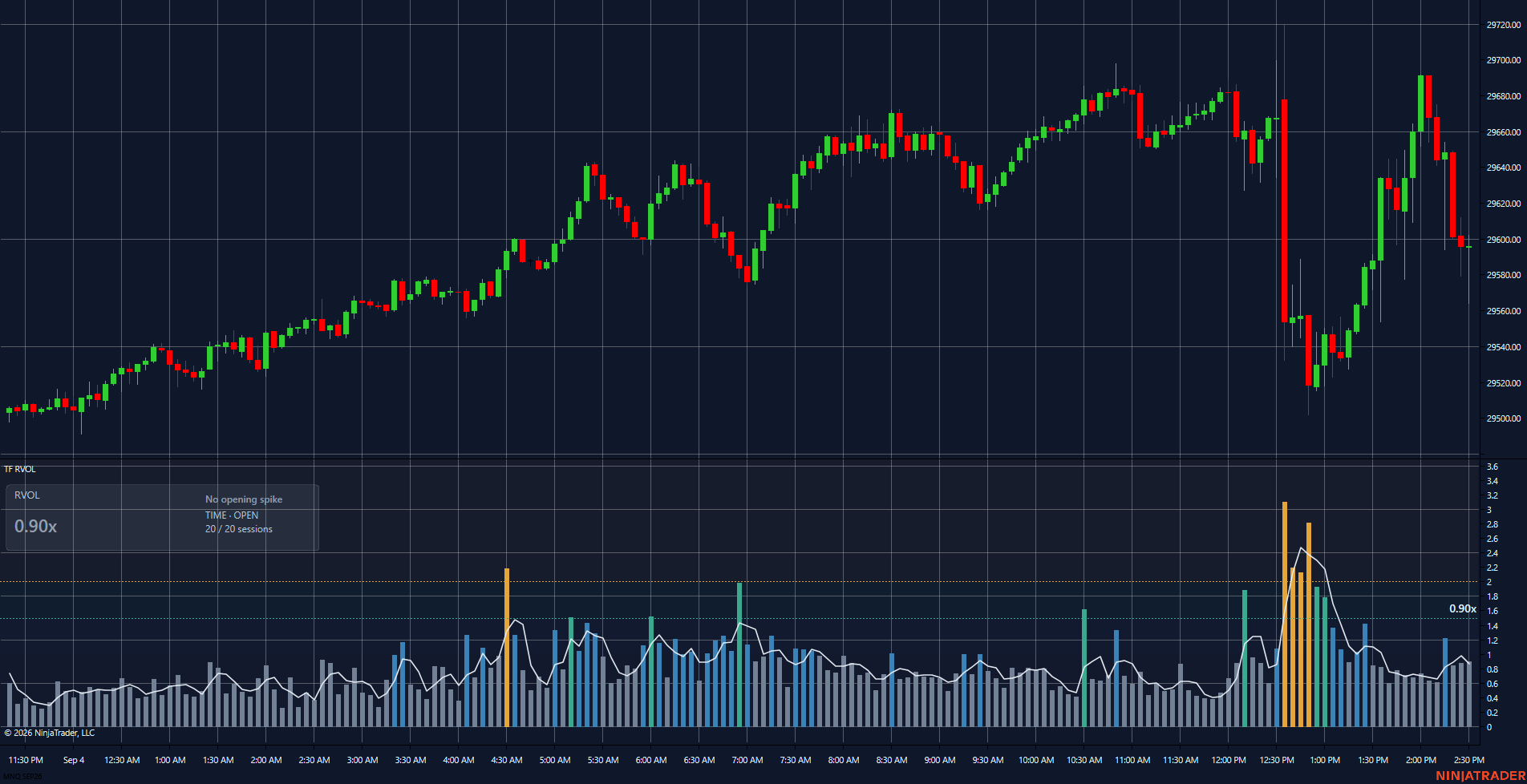
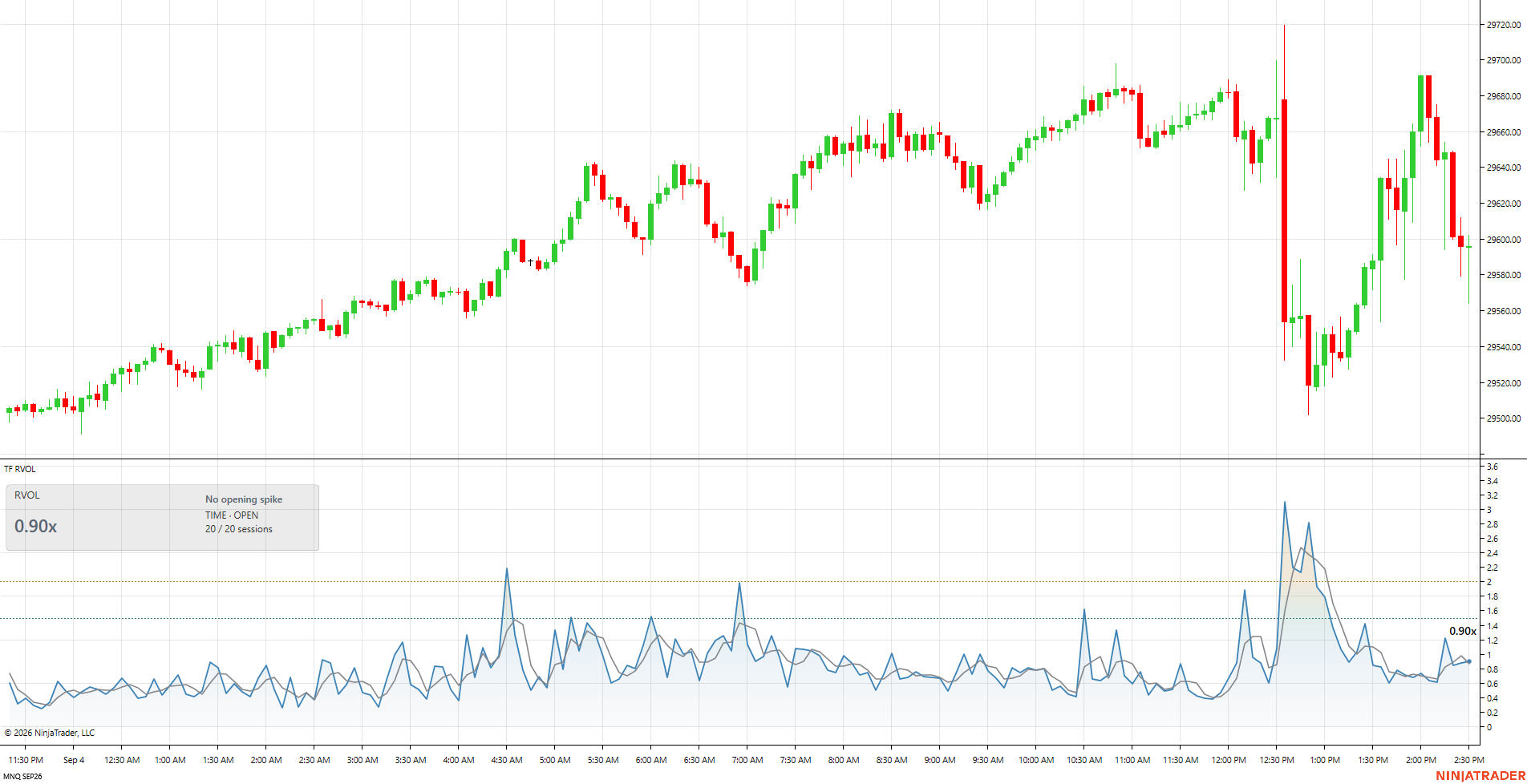
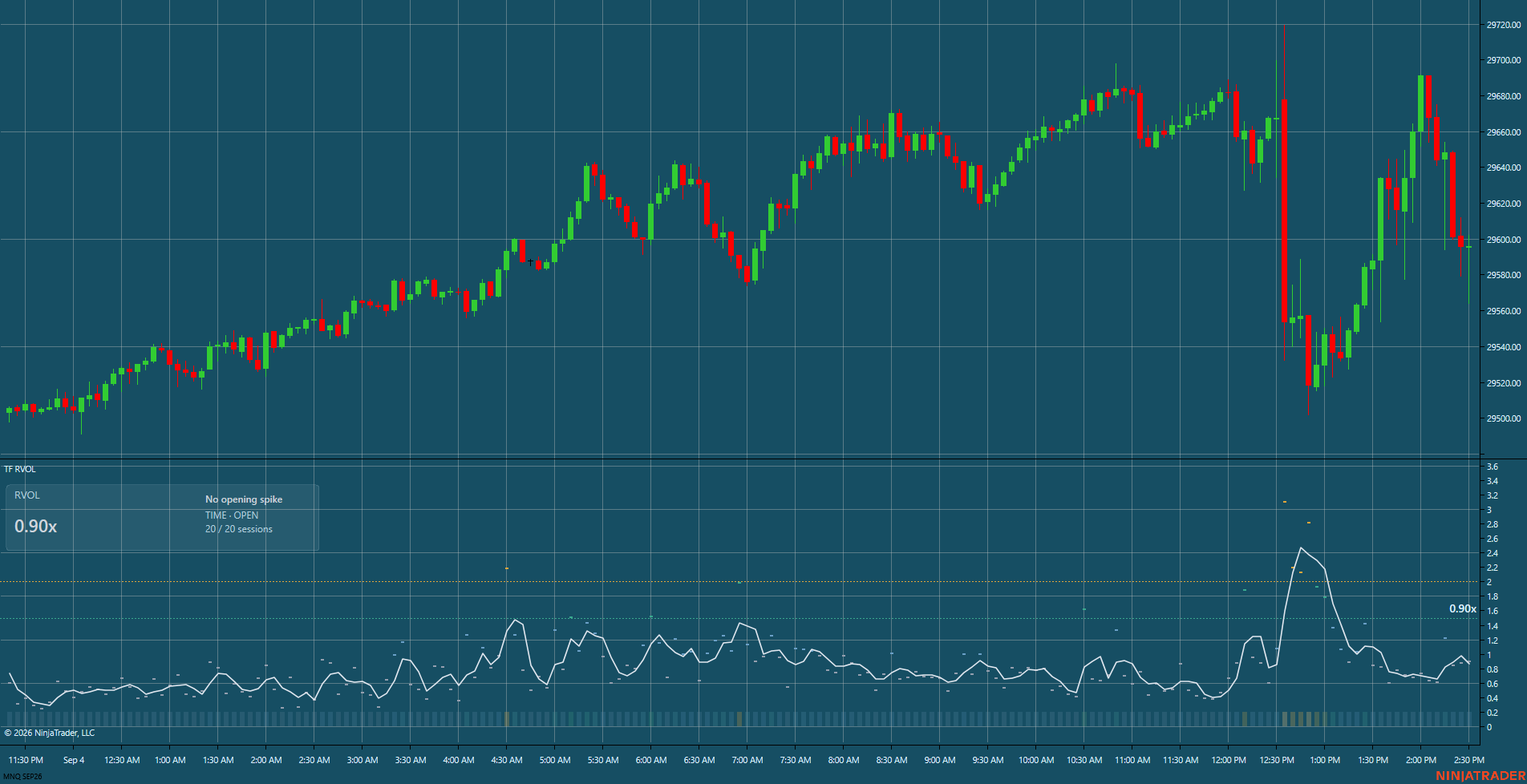
Futures involve substantial risk of loss. Images demonstrate the interface; they are not trading results or a promise of performance.
01 / VOLUME IN PERSPECTIVE
High absolute volume may be typical at one time and unusual at another. Choose a reference that fits your chart and the session you want to study.
Cumulative From Opening
Compare cumulative volume from the configured opening with the equivalent historical reference.
Cumulative Time of Day
Compare participation accumulated through the current time with previous sessions.
Bar Time of Day
Put the current bar's volume in the context of its historical time slot.
Classic Bar Average
Compare the current bar's volume with an average of previous bars.
Follow RVOL and its average, with configurable elevated-volume and spike thresholds.
Check the mode, volume reading, and available sample without leaving your chart.
Follow opening-flow states and sustained participation in the time-based modes, according to your configuration. Does not apply to Classic mode.
NINJATRADER 8 / WINDOWS
INSTALLATION / GETTING STARTED
Monthly, annual, or lifetime: review the plans and check compatibility before purchasing.
With your distribution package, open Tools → Import → NinjaScript Add-On in NinjaTrader 8.
Select a mode, check your session data, and validate the reading in simulation.
FAQ / TICKFLOW RVOL
No. It is a relative-volume indicator. It does not manage orders or positions and is not an automated strategy.
Yes. Comparisons depend on the available volume history. The amount of data needed varies with the selected mode and parameters.
The package is built for NinjaTrader 8 Desktop on Windows. It is not an extension for the Web version.
US$7.90 per month, US$69.90 per year, or US$359 for a lifetime license. Monthly and annual plans are recurring subscriptions; lifetime is a one-time purchase. Check the requirements before choosing.
No. It describes participation relative to a reference. Elevated relative volume does not guarantee direction, continuation, or financial results.
TICKFLOW RVOL / PLANS
The same indicator, with the license duration that fits you. All prices are in US dollars (USD).
USD 7.90/month
Renews automatically every month.
Choose planUSD 69.90/year
Renews automatically every year.
Choose planUSD 359.00one time
One payment. No renewal.
Choose planMonthly and annual subscriptions renew until cancelled. The lifetime license is a one-time purchase. After payment confirmation, contact contato@tickflow.net with your payment email and NinjaTrader account email. The TickFlow team sends the package and manually activates the license. Do not send passwords. NinjaTrader platform and market data services are purchased separately.
To update your payment method, view invoices, or cancel at the end of the paid period, Manage subscription ↗
Questions about compatibility or activation? Contact TickFlow ↗